
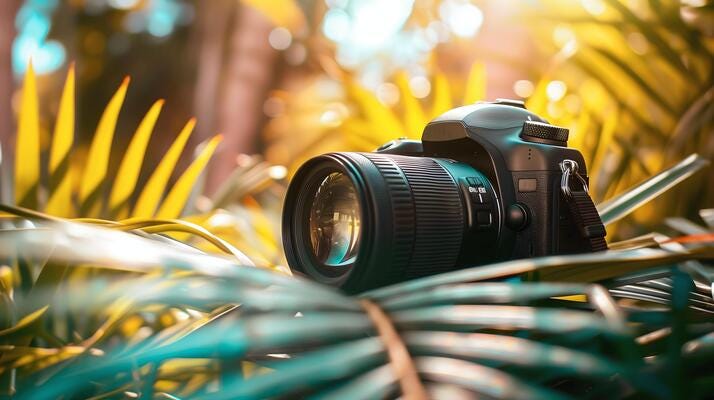
Mastering Mobile Photo Editing for Your DSLR Photos
Editing DSLR photos on your mobile device is not only possible—it’s powerful, convenient, and increasingly popular among both hobbyists and professionals. With high-resolution smartphones and advanced editing apps now available, you can transform your raw DSLR shots into polished, share-worthy images right from your phone. The key lies in understanding how to use mobile tools effectively while maintaining the high quality your DSLR delivers.
Mastering Mobile Photo Editing
for Your DSLR Photos
Topic of the day!
To master mobile photo editing for your DSLR photos, follow these key steps:
Practice and Analyze
Review professional mobile edits, watch tutorials, and regularly compare your work with high-level examples to improve.
Transfer Photos in High Quality
Use a reliable method (like Wi-Fi, Bluetooth, SD card reader, or cloud storage) to transfer full-resolution images from your DSLR to your phone. Avoid compressing the files.
Use Pro Editing Apps
Choose high-quality apps like Adobe Lightroom Mobile, Snapseed, or VSCO. Lightroom offers RAW editing and advanced color control, ideal for DSLR images.
Learn Basic Adjustments First
Start with exposure, contrast, highlights, shadows, and white balance. These foundational edits dramatically improve photo quality.
Master Local Adjustments
Learn to use selective tools (like brushes and radial filters) to adjust parts of the image without affecting the whole photo. This is powerful for DSLR images with rich detail.
Understand Color Grading
Use HSL sliders (Hue, Saturation, Luminance) and color grading tools to enhance mood and tone while preserving natural skin tones and detail.
Sharpening and Noise Reduction
DSLR images often need minimal sharpening and careful noise reduction. Don’t overdo it—preserve texture and clarity.
Use Presets Carefully
Save time with presets but always fine-tune them. Build your own custom presets to create a consistent editing style.
Edit in RAW When Possible
If your DSLR shoots in RAW and your phone and app support it, always edit RAW files for more control over exposure and color.
Compare Before and After
Always toggle between original and edited versions to avoid over-editing.
With practice and attention to detail, mobile editing can match the quality of desktop workflows—especially when you’re familiar with the tools and understand how to treat your DSLR images with care. Whether you’re on the go or just enjoy the convenience of editing in your hands, mastering mobile photo editing unlocks new creative freedom for your photography.

 No products in the cart.